Shape errors are the tax you pay for working with tensors, and most of
them come from a stubborn gap: you can recite what permute does and still not
see it. So I drew them. Fifty PyTorch operations, one figure each, all in the
same coordinate frame.
Every figure shows the same thing in the same way. The faint block is the input, the solid one the output, and both sit at the same origin — so the change happens in place rather than being something you reconstruct from two side-by-side pictures. Three black axes meet at that origin and are ticked by index. The code panel on each figure is the real, runnable call that produced it, with the shape change as a trailing comment.
A caveat worth stating up front: every number in every figure is read back out
of the tensor after the actual torch call runs, and each page asserts the
identity it claims. The pictures cannot quietly disagree with the semantics.
Where an operation changes values but not shape — softmax, cumsum, clamp
— the cells are shaded by value, because two identically-shaped blocks would
otherwise show nothing at all.
Three families are missing on purpose. matmul needs A on the left, B
above and C at their intersection; two operands superimposed at one origin are
indistinguishable, and I deleted the page after looking at it. conv2d and
max_pool2d produce a different grid from their input, so overlaying them
at one origin would misstate the geometry. And to(device), detach,
no_grad and item have no geometry to draw at all.
Reshaping
Same numbers, different grouping. None of these move data.
1. Tensor.view
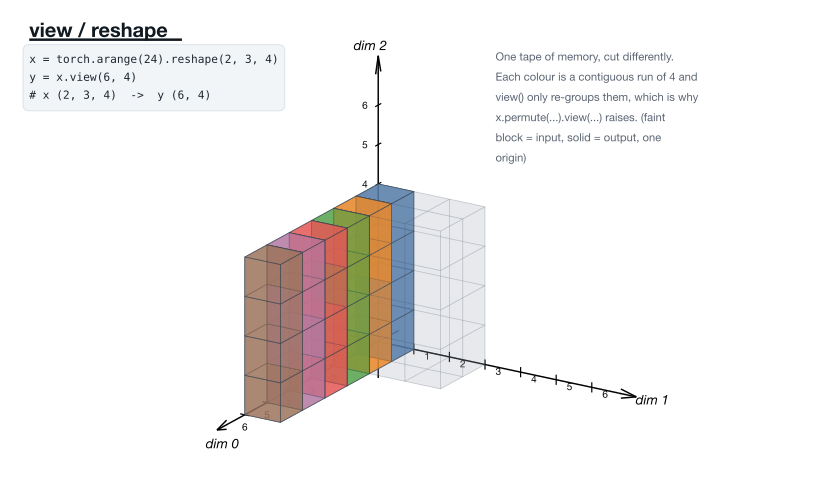
One tape of memory, cut differently — which is why permute(...).view(...) raises. · Tensor.view docs
2. torch.flatten
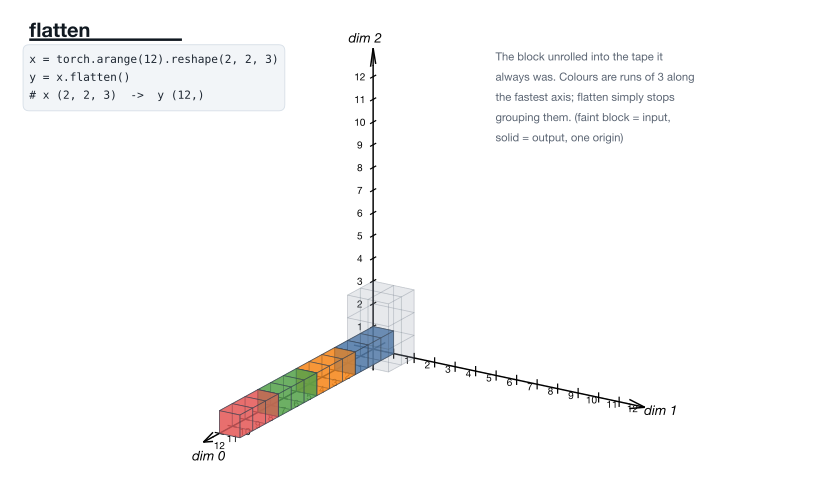
The block unrolled into the tape it always was. · torch.flatten docs
3. torch.flatten
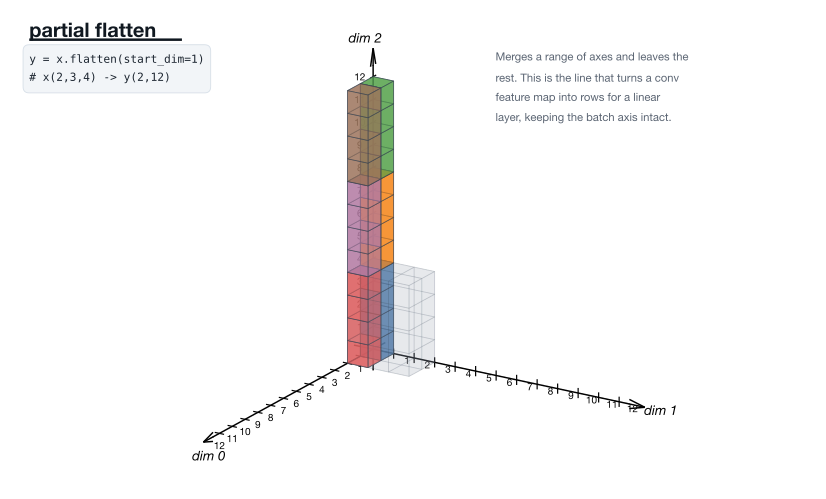
Merges a range of axes. This is the line that feeds a conv map into a linear layer. · torch.flatten docs
4. torch.unflatten
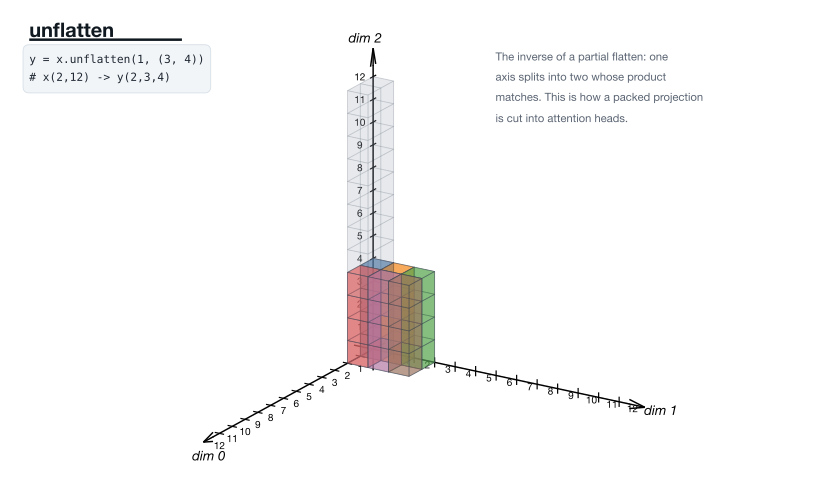
One axis splits into two whose product matches — how a projection is cut into heads. · torch.unflatten docs
5. torch.squeeze
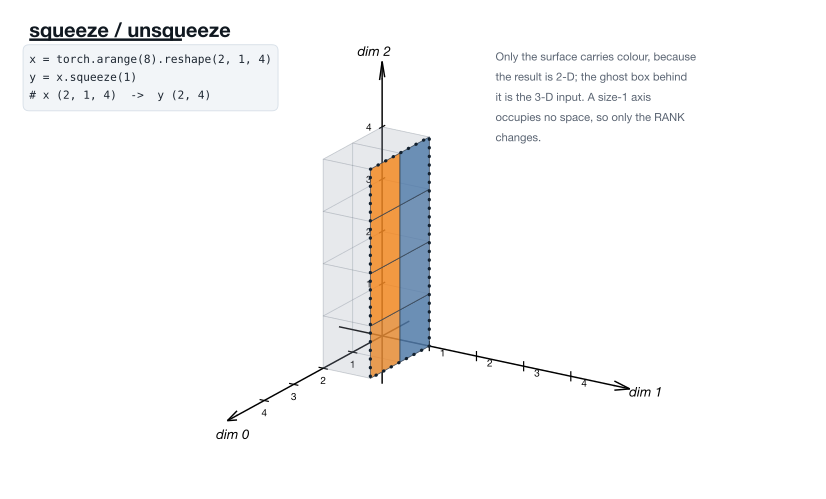
The two drawings are identical by necessity: a size-1 axis occupies no space. · torch.squeeze docs
6. torch.unsqueeze
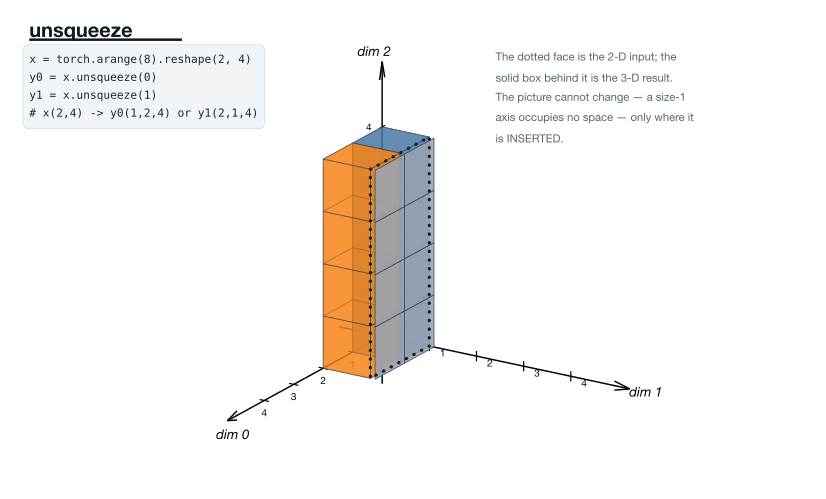
The picture cannot change. Only where the axis is inserted differs — which decides how it later broadcasts. · torch.unsqueeze docs
7. Tensor.contiguous
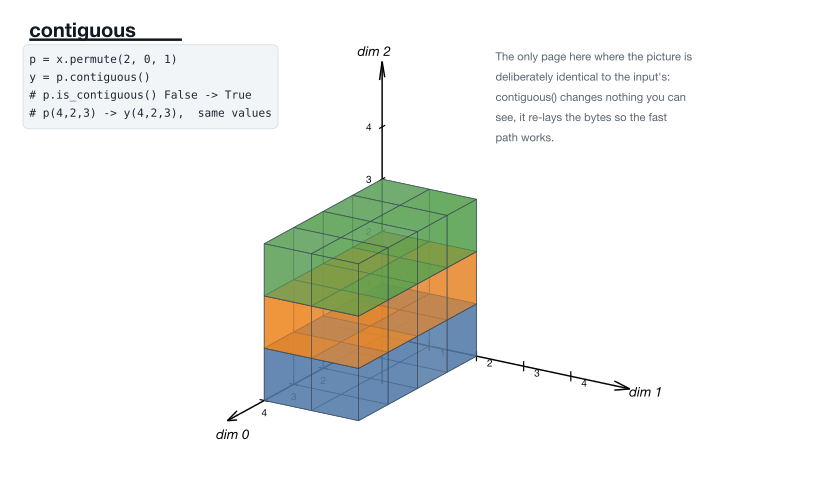
The one page whose picture is deliberately unchanged: it re-lays the bytes so the fast path works. · Tensor.contiguous docs
Reordering axes
The elements stay; which index reaches them changes.
8. torch.permute
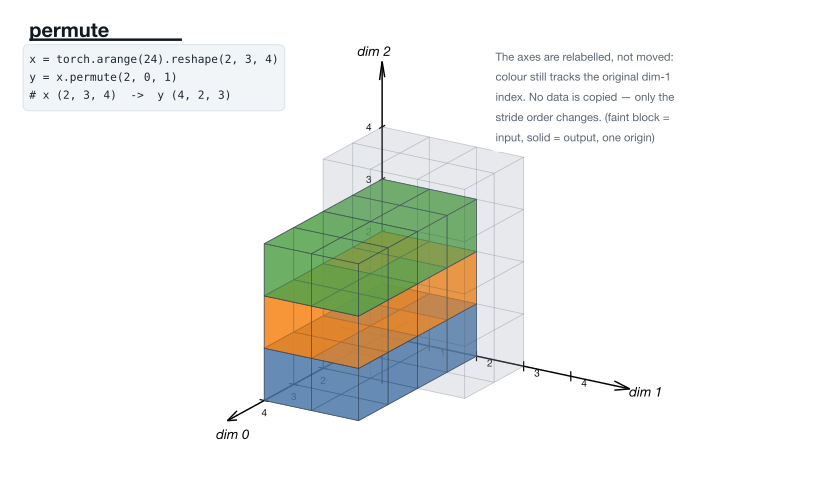
Axes relabelled, strides reordered. Nothing is copied. · torch.permute docs
9. torch.transpose
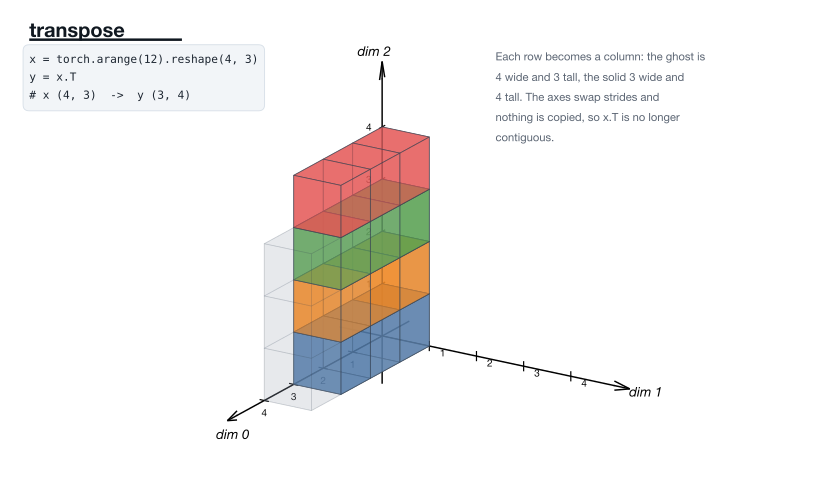
Rows become columns; the two axes swap strides, so the result is no longer contiguous. · torch.transpose docs
10. torch.movedim
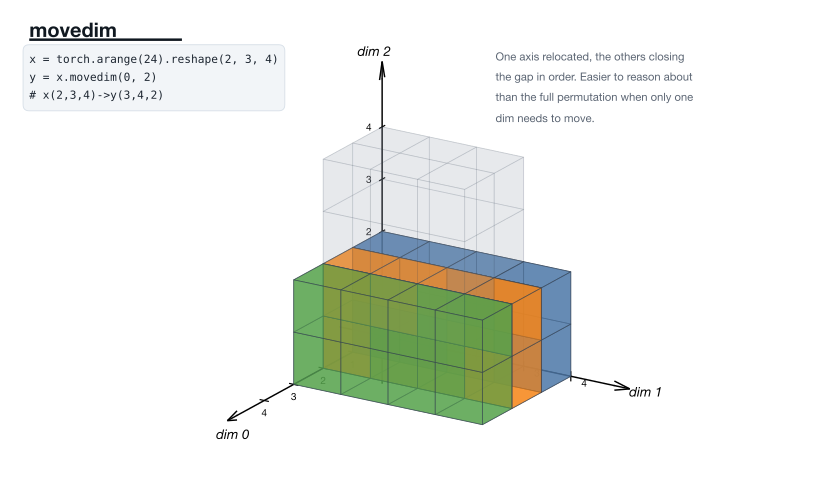
One axis relocated, the others closing the gap. Easier to reason about than a full permutation. · torch.movedim docs
11. torch.flip
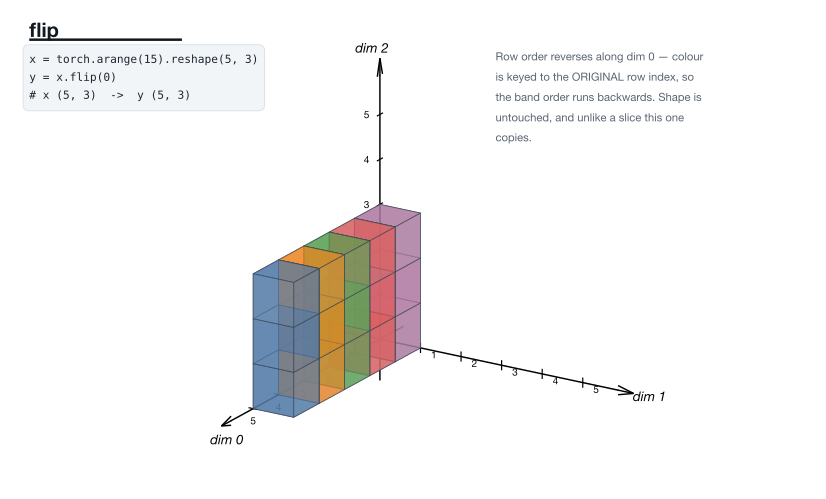
Row order reverses. Unlike a slice, this one copies. · torch.flip docs
12. torch.roll
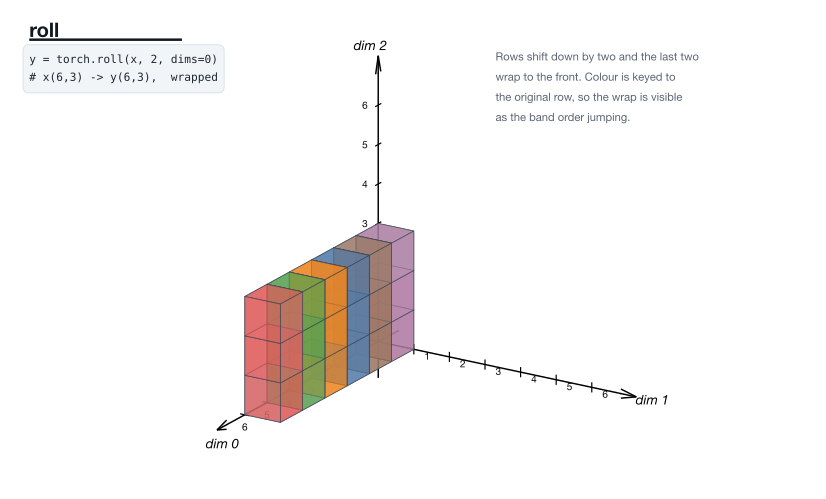
Rows shift and wrap. Colour is keyed to the original row, so the wrap is visible. · torch.roll docs
13. torch.sort
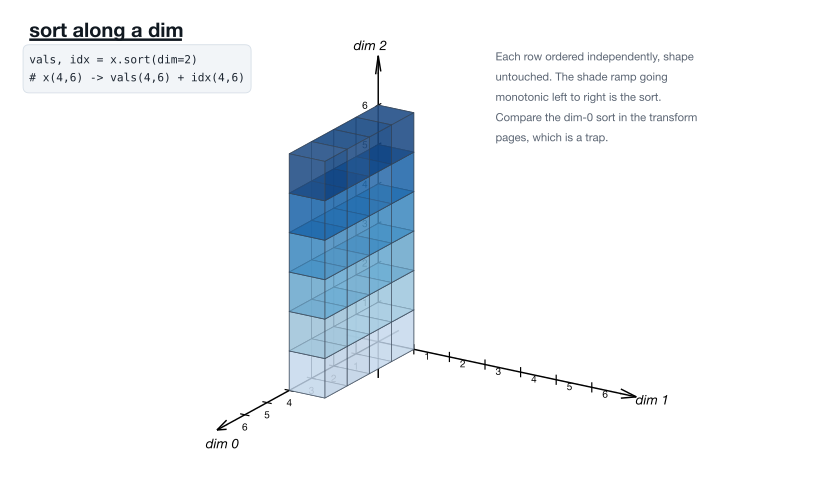
Each row ordered independently. Compare the dim-0 sort, which is a trap. · torch.sort docs
Growing
More cells out than in — by repetition, padding, or broadcast.
14. torch broadcasting
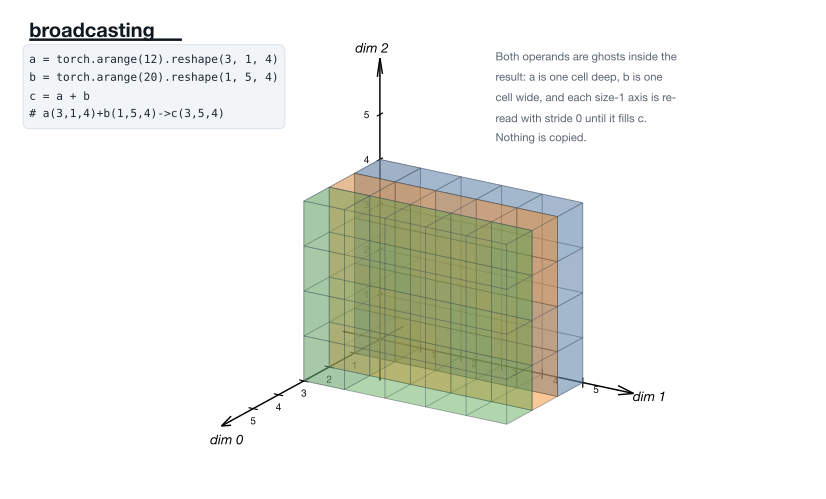
Each size-1 axis is re-read with stride 0 until it matches. Both operands are ghosts inside the result. · torch broadcasting docs
15. Tensor.expand
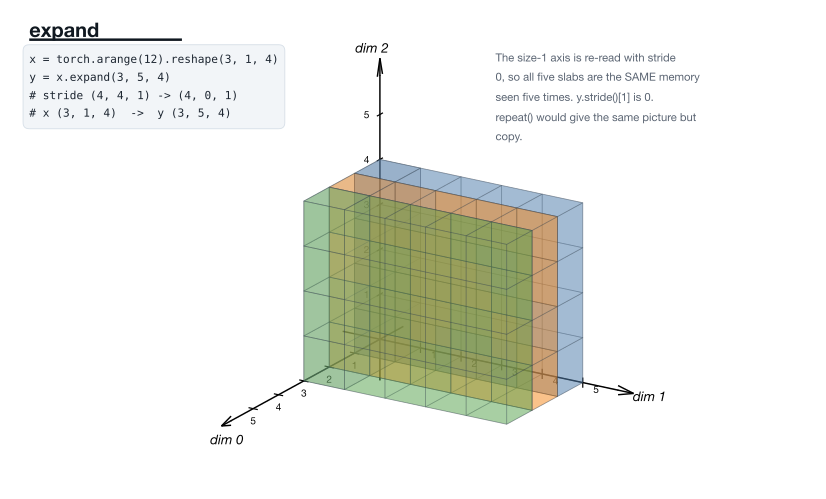
Stride 0: all five slabs are the same memory seen five times. · Tensor.expand docs
16. Tensor.repeat
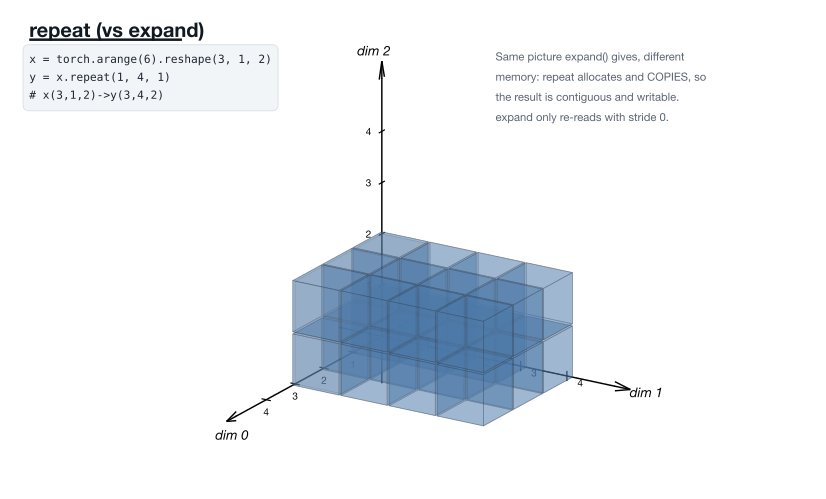
The picture expand gives, different memory: repeat allocates and copies. · Tensor.repeat docs
17. torch.repeat_interleave
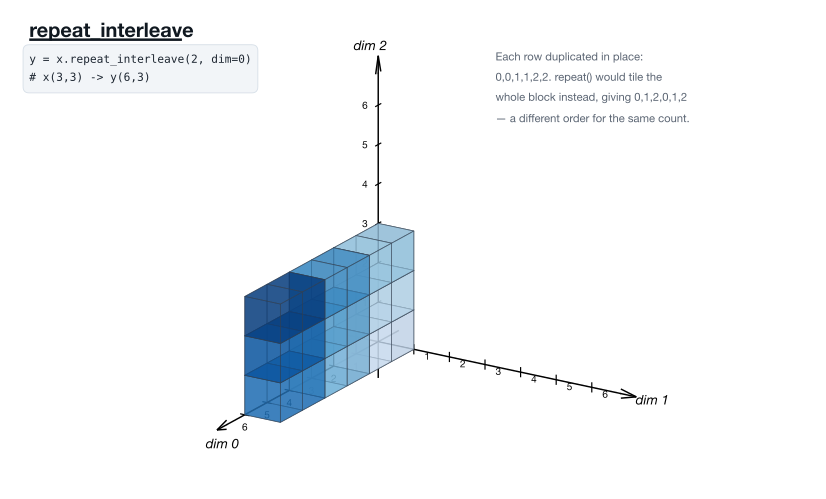
0,0,1,1,2,2 — where repeat would give 0,1,2,0,1,2. · torch.repeat_interleave docs
18. F.pad
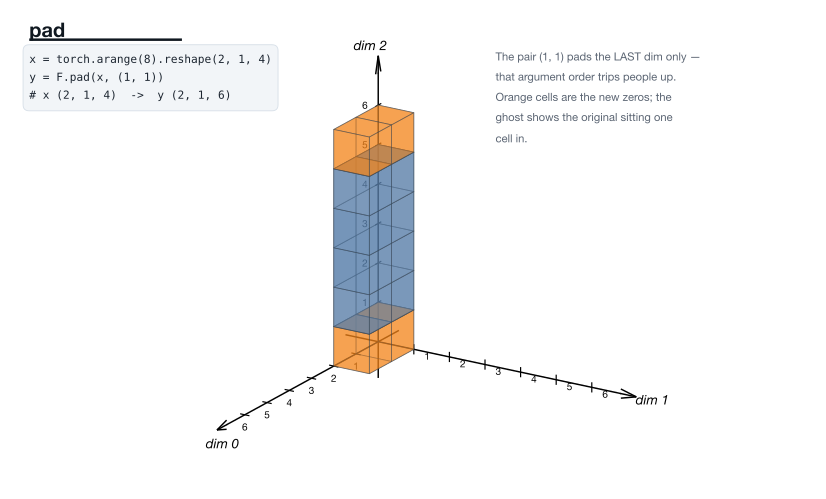
The pair (1, 1) pads the last dim only — the argument order that trips people up. · F.pad docs
19. F.one_hot
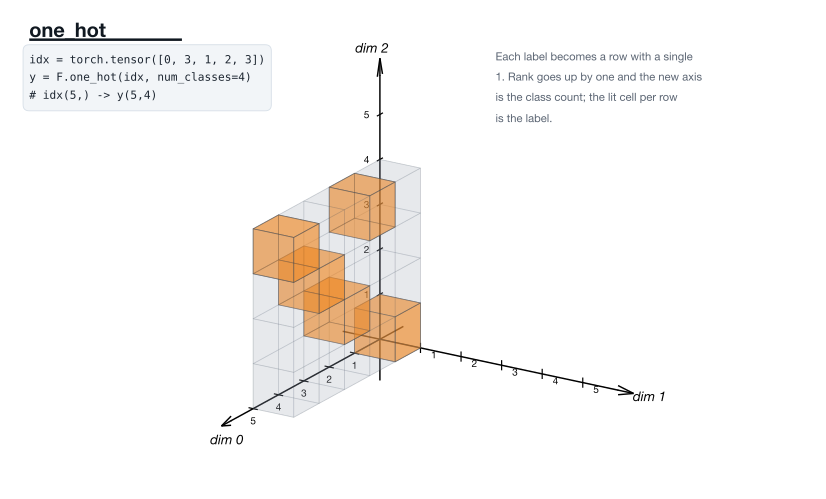
Each label becomes a row with a single 1; rank goes up by one. · F.one_hot docs
Joining and splitting
Where cat, stack, chunk and split actually differ.
20. torch.cat
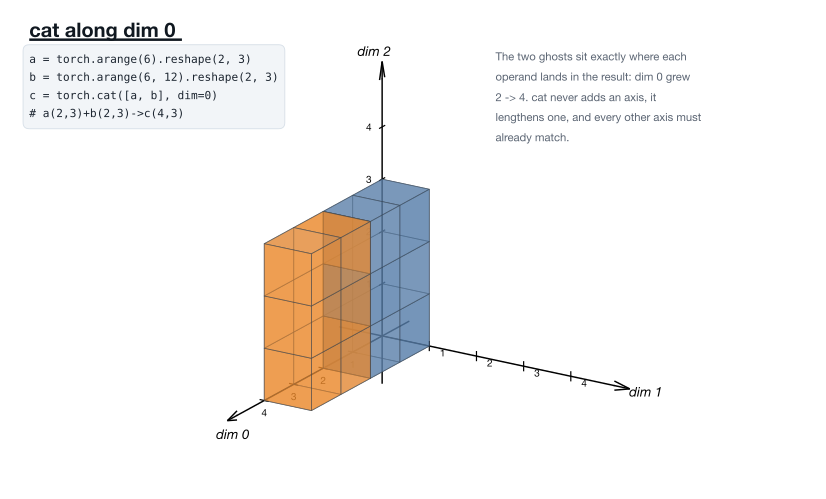
Joined along dim 0: that axis grows from 2 to 4. · torch.cat docs
21. torch.cat
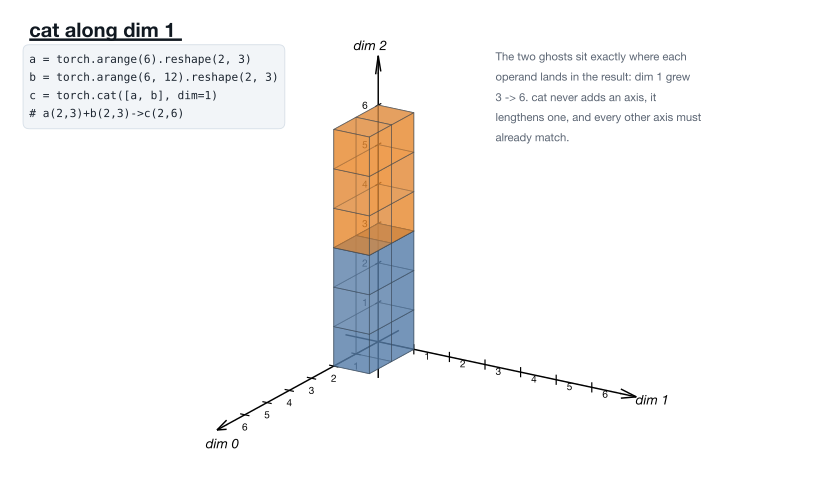
The same two tensors along dim 1 instead. cat lengthens an axis, never adds one. · torch.cat docs
22. torch.stack
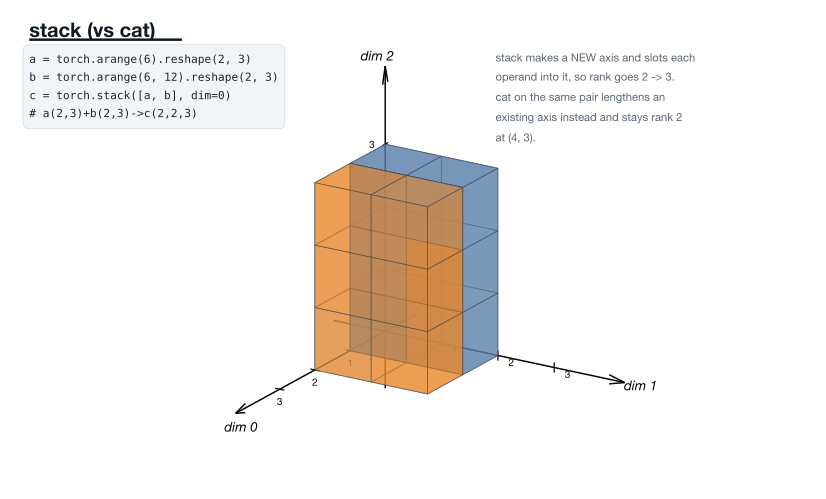
The same picture as cat, deliberately — but a new axis, so rank goes 2 → 3. · torch.stack docs
23. torch.chunk
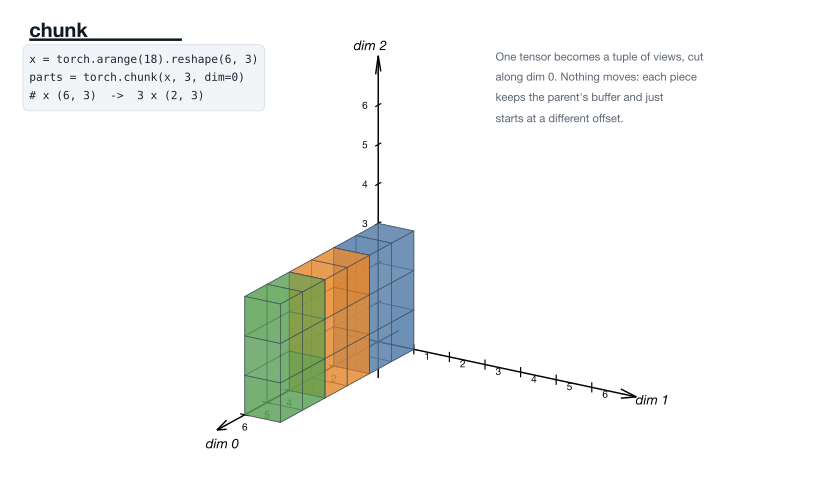
One tensor becomes a tuple of views, each starting at a different offset. · torch.chunk docs
24. torch.split
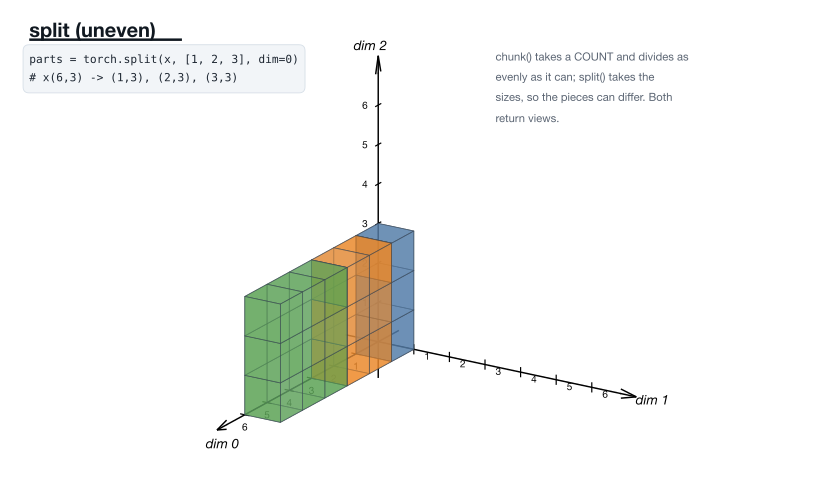
chunk takes a count; split takes the sizes, so the pieces can differ. · torch.split docs
Indexing
Choosing a subset. Some are views, some copy.
25. torch tensor views
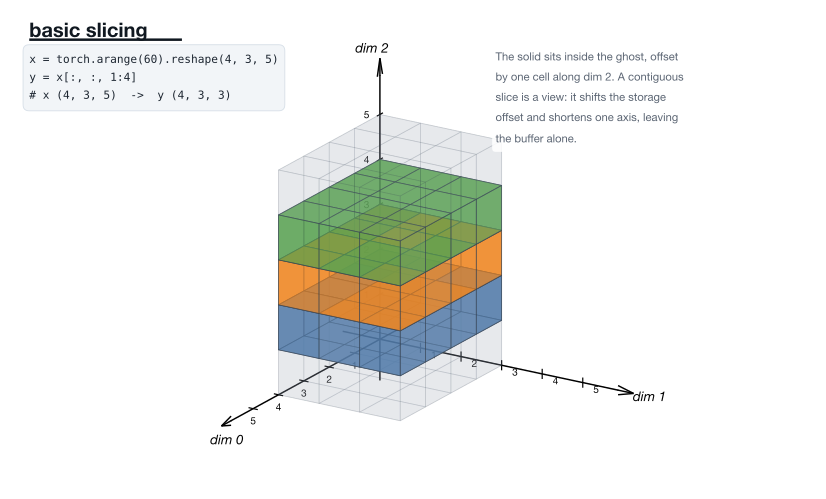
A contiguous slice is a view — it shifts the offset and shortens one axis. · torch tensor views docs
26. Tensor.stride
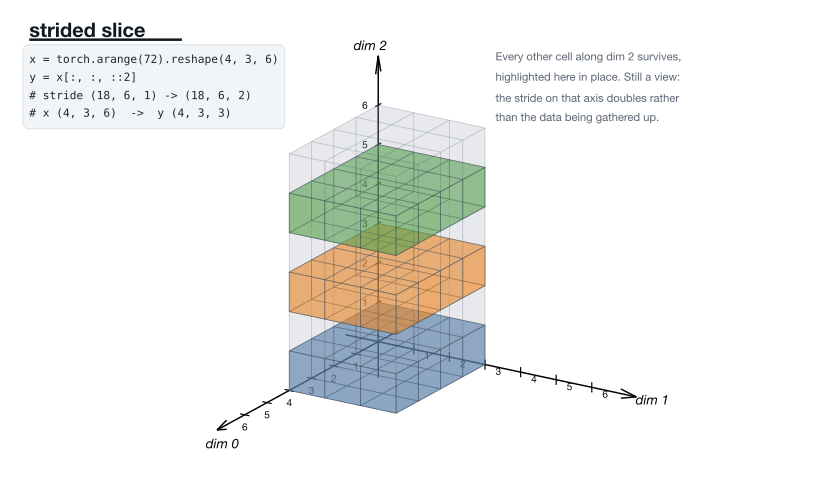
Every other cell survives. Still a view — the stride on that axis doubles. · Tensor.stride docs
27. torch.index_select
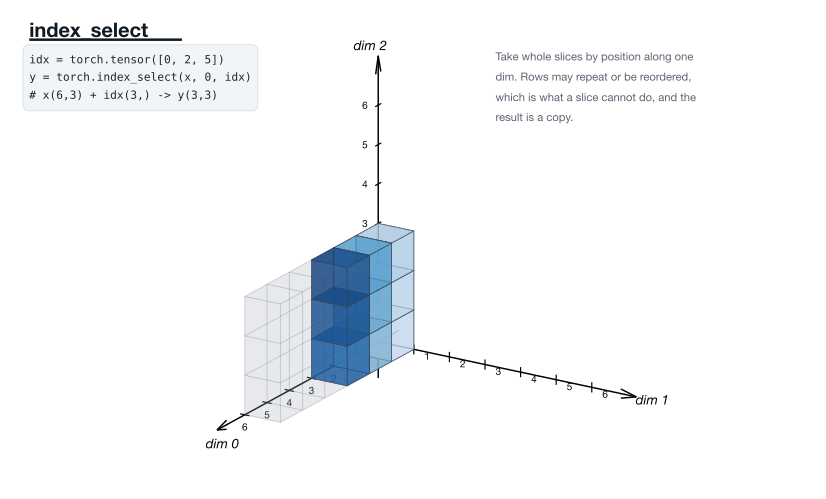
Whole slices by position. Rows may repeat or reorder — what a slice cannot do. · torch.index_select docs
28. torch.gather
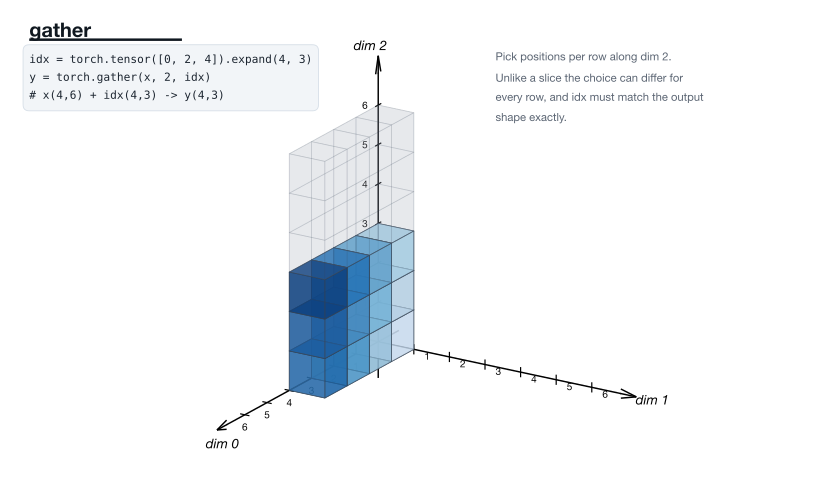
Positions chosen per row. Unlike a slice, the choice can differ for every row. · torch.gather docs
29. torch.topk
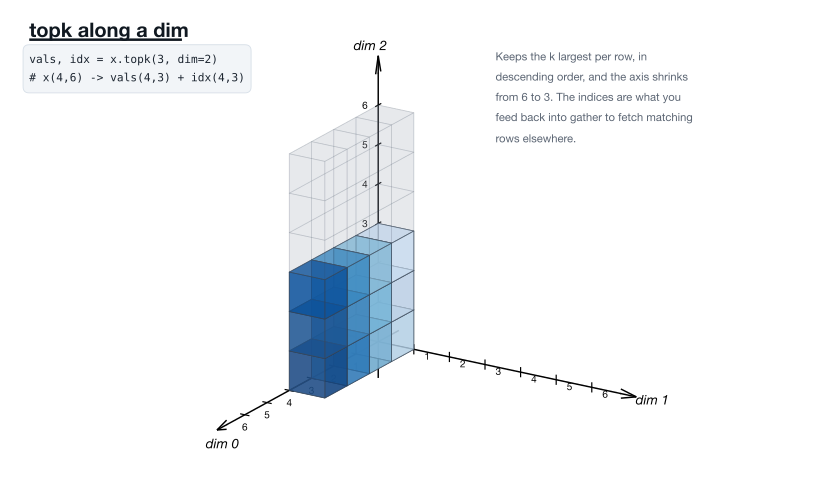
The k largest per row. The indices are what you feed back into gather. · torch.topk docs
30. Tensor.masked_fill
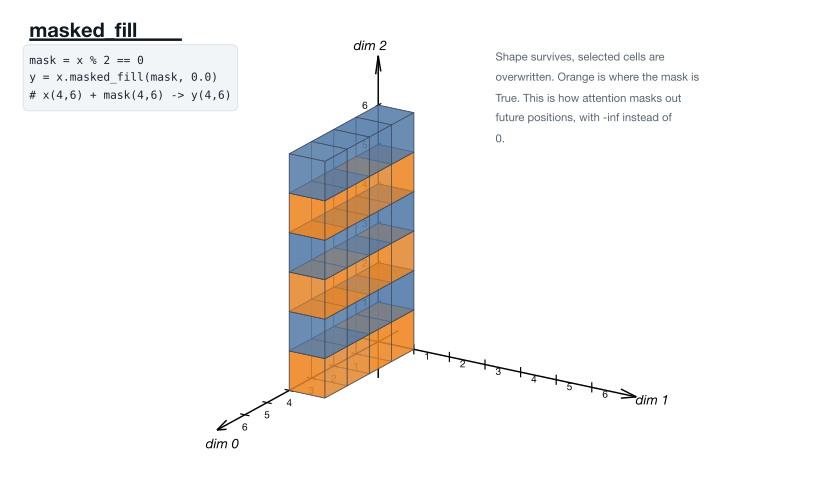
Shape survives, selected cells are overwritten. This is the attention mask, with -inf instead of 0. · Tensor.masked_fill docs
31. torch.where
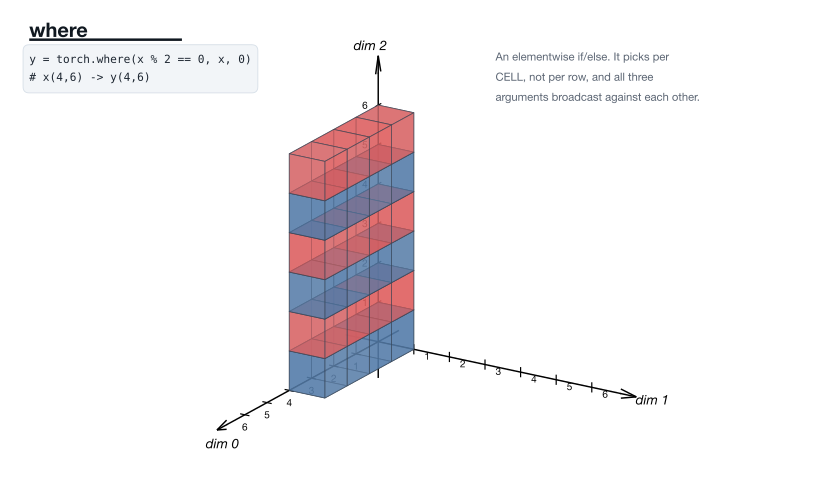
An elementwise if/else — per cell, not per row. · torch.where docs
32. torch.tril
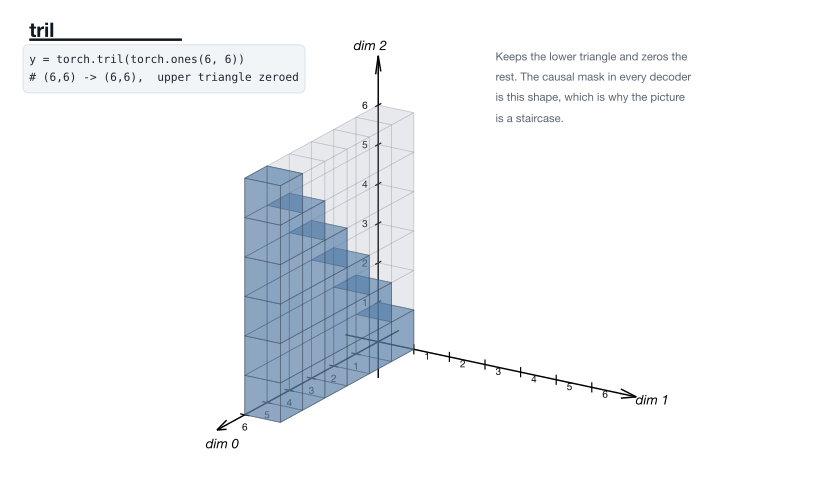
The causal mask in every decoder is this staircase. · torch.tril docs
33. torch.triu
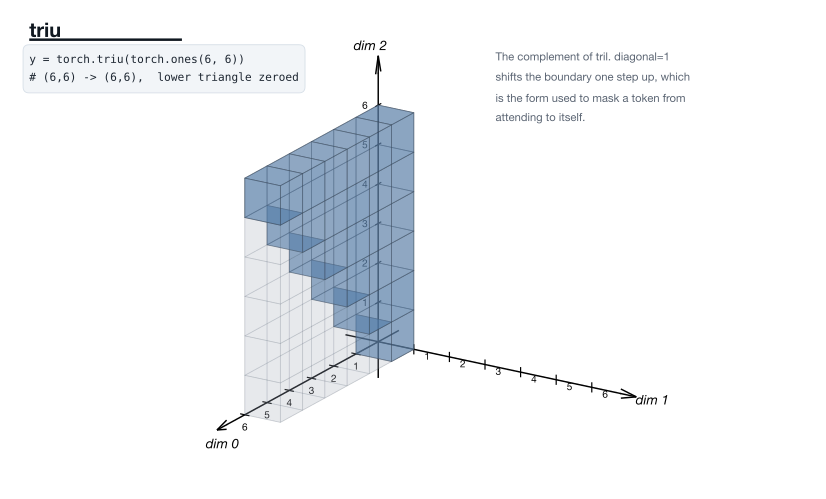
The complement of tril; diagonal=1 is the form that masks self-attention. · torch.triu docs
34. torch.diagonal
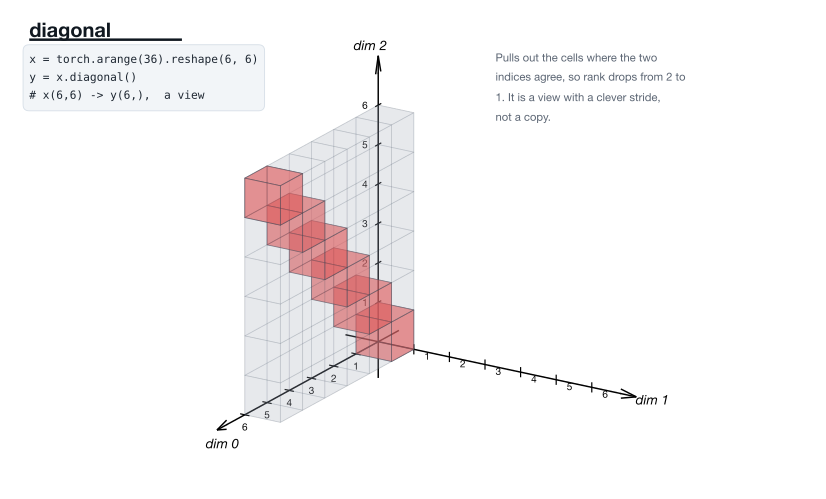
Cells where the two indices agree. A view with a clever stride, not a copy. · torch.diagonal docs
Reducing
An axis disappears.
35. torch.sum
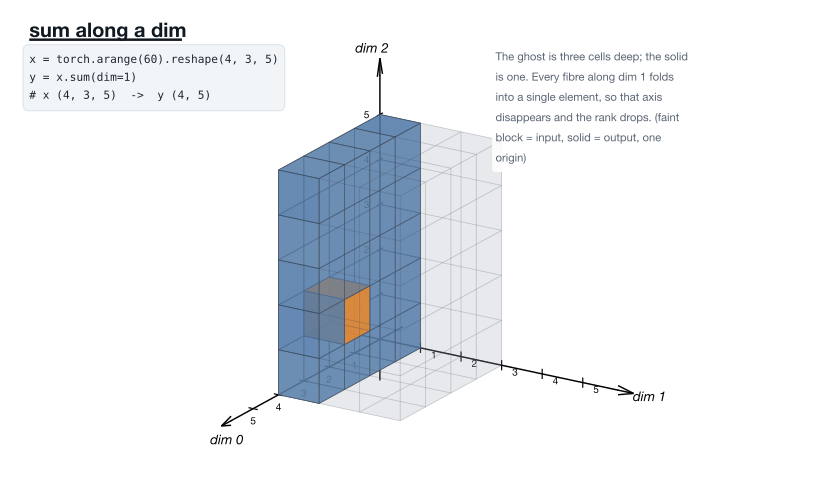
A fibre along the reduced axis folds to one element; rank drops by one. · torch.sum docs
36. torch.sum
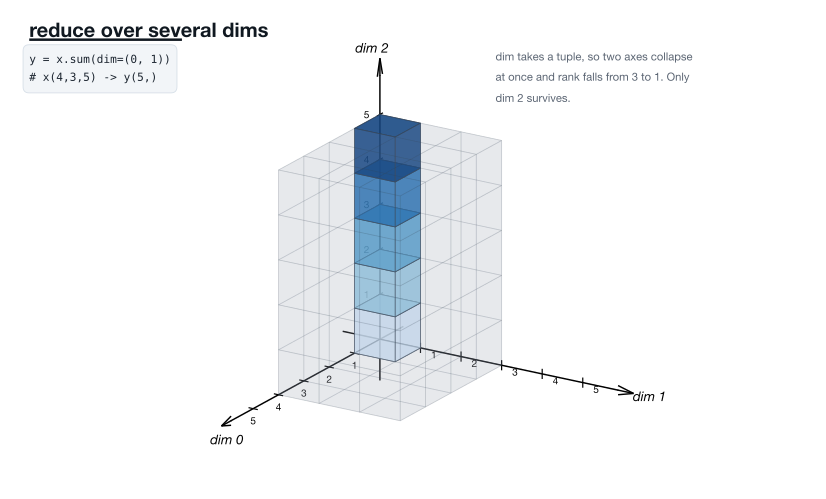
dim takes a tuple, so two axes collapse at once and rank falls 3 → 1. · torch.sum docs
37. torch.mean
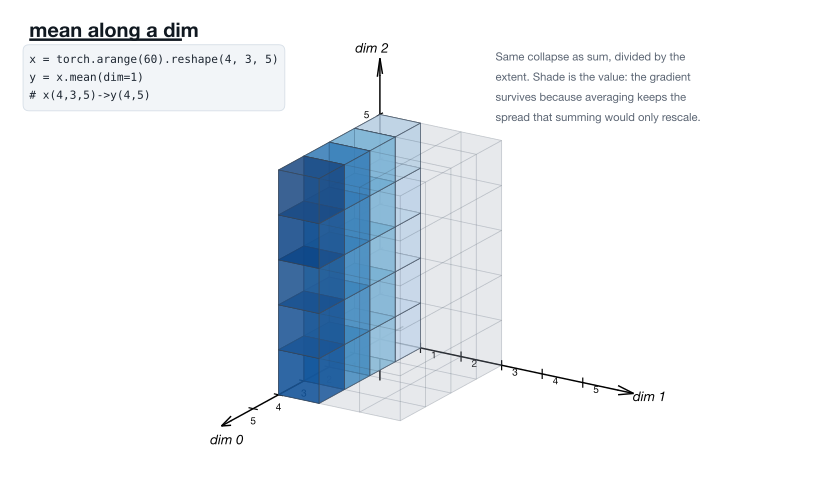
The same collapse as sum, divided by the extent. · torch.mean docs
38. torch.prod
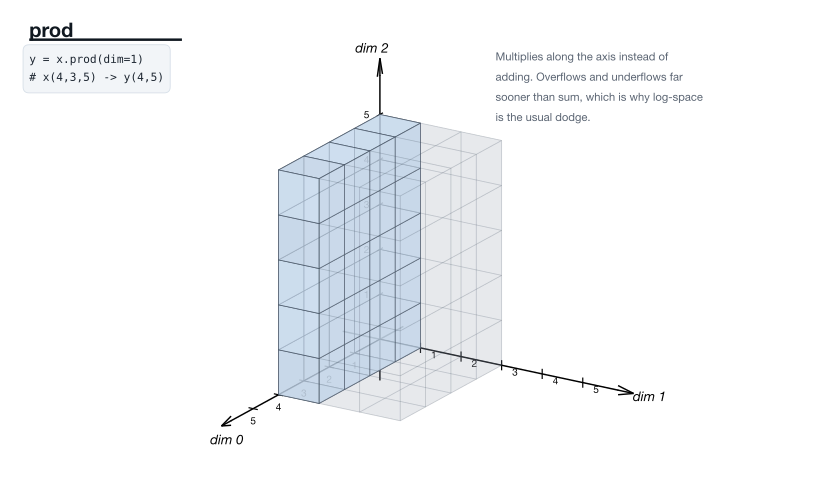
Multiplies along the axis. Overflows far sooner than sum, hence log space. · torch.prod docs
39. torch.min
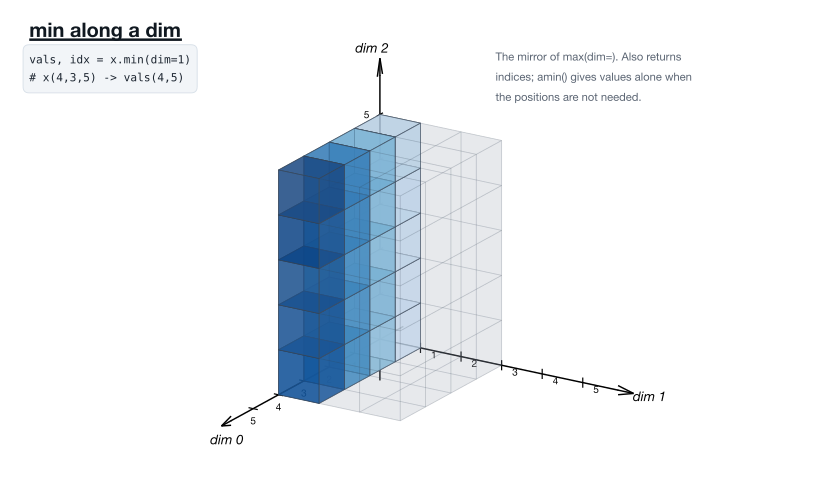
The mirror of max. amin gives values alone when the positions are not needed. · torch.min docs
40. torch.max
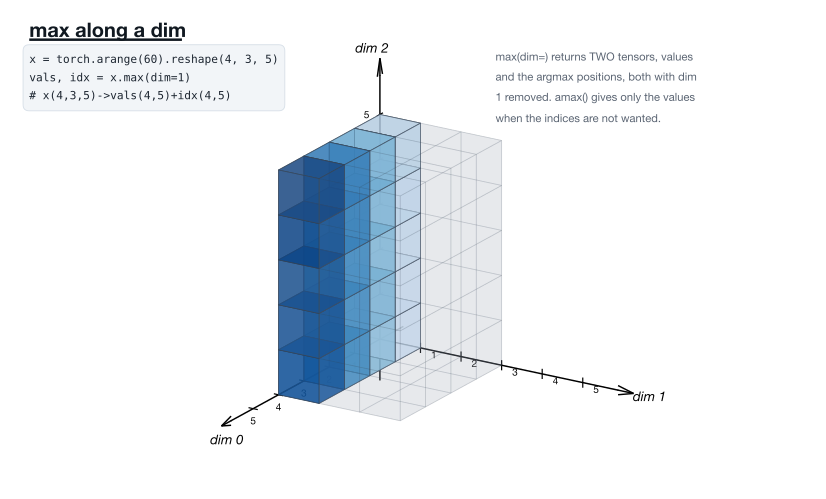
Returns two tensors — values and argmax positions — both with the axis removed. · torch.max docs
41. torch.argmax
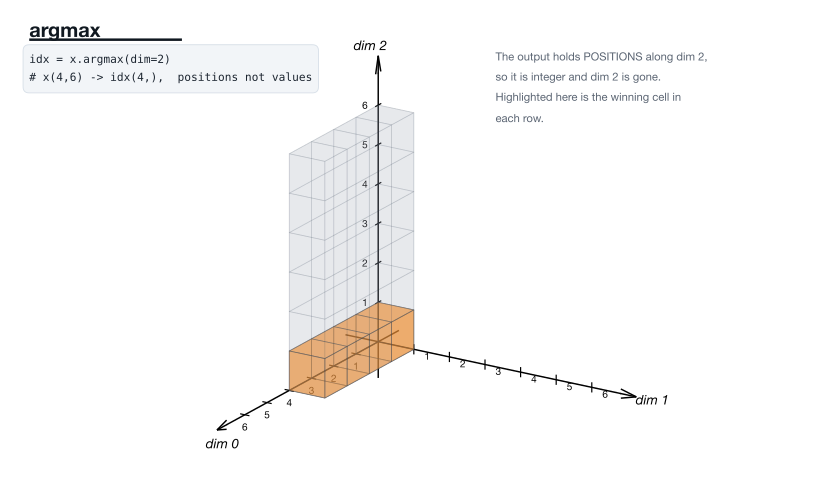
The output holds positions, so it is integer and the axis is gone. · torch.argmax docs
42. Tensor.norm
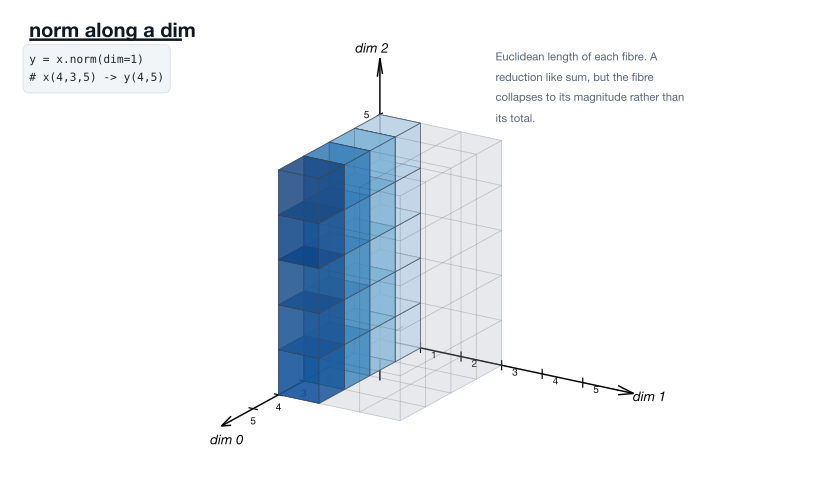
Each fibre collapses to its magnitude rather than its total. · Tensor.norm docs
43. torch.std
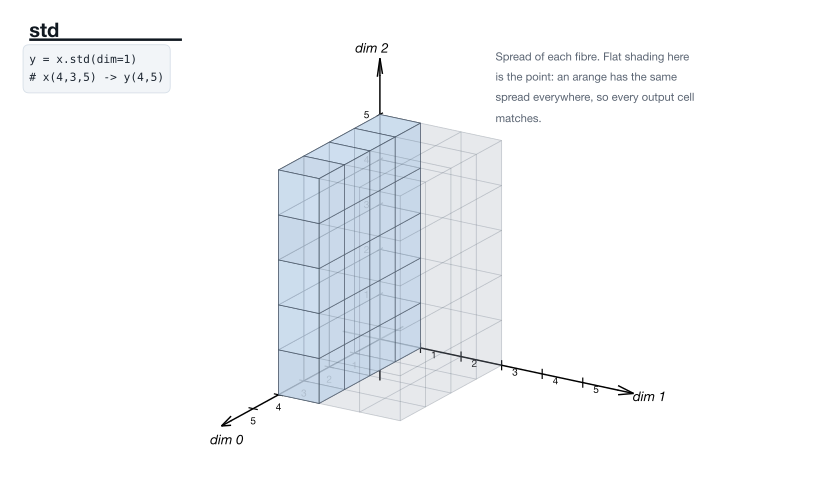
Spread of each fibre. Flat shading is the point — an arange has the same spread everywhere. · torch.std docs
44. torch.any
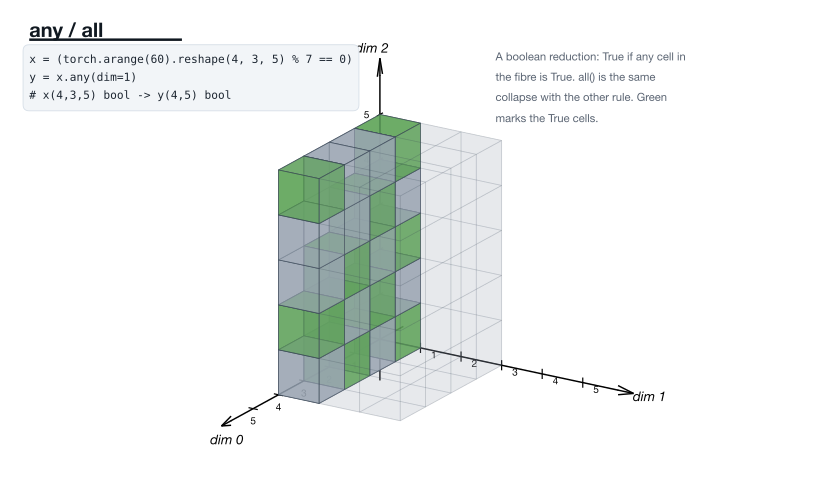
A boolean reduction. all is the same collapse with the other rule. · torch.any docs
45. torch.logsumexp
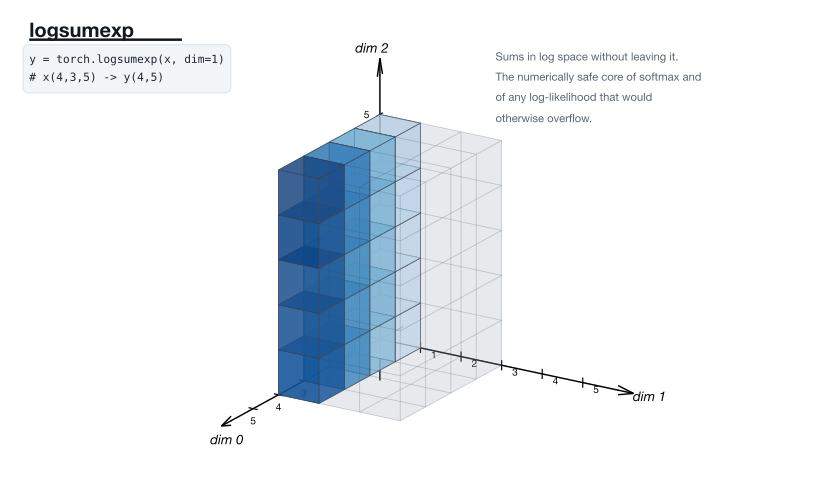
Sums in log space without leaving it — the safe core of softmax. · torch.logsumexp docs
Scans
A reduction that keeps every intermediate.
46. torch.cumsum
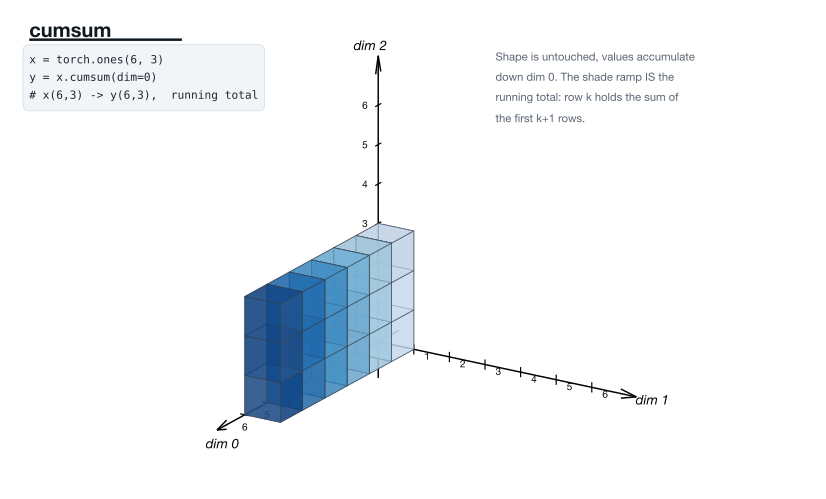
Shape untouched, values accumulate. The shade ramp is the running total. · torch.cumsum docs
47. torch.cummax
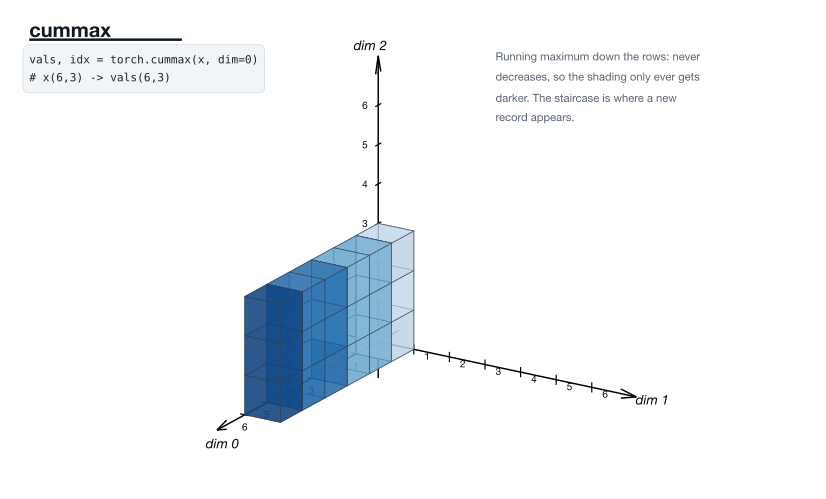
Running maximum: never decreases, so the shading only ever darkens. · torch.cummax docs
Value-only
Shape survives untouched; only the numbers change, so the cells are shaded by value.
48. F.softmax
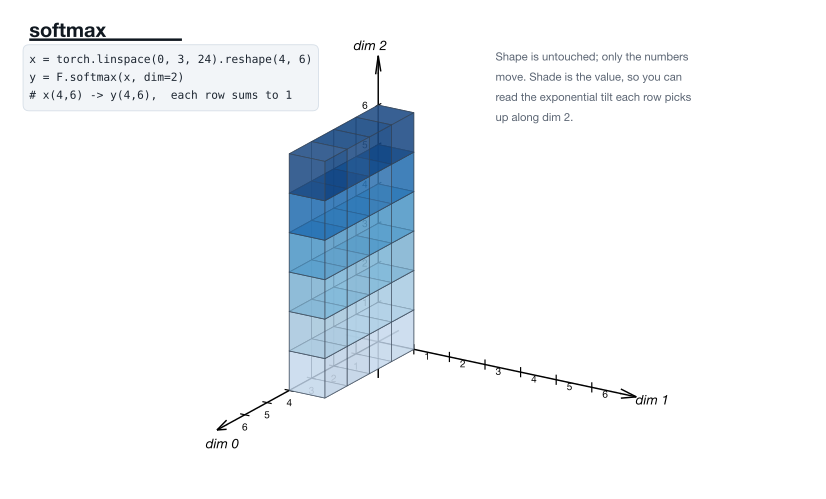
Shape untouched; only the numbers move. Shade is the value, so the exponential tilt is visible. · F.softmax docs
49. torch.clamp
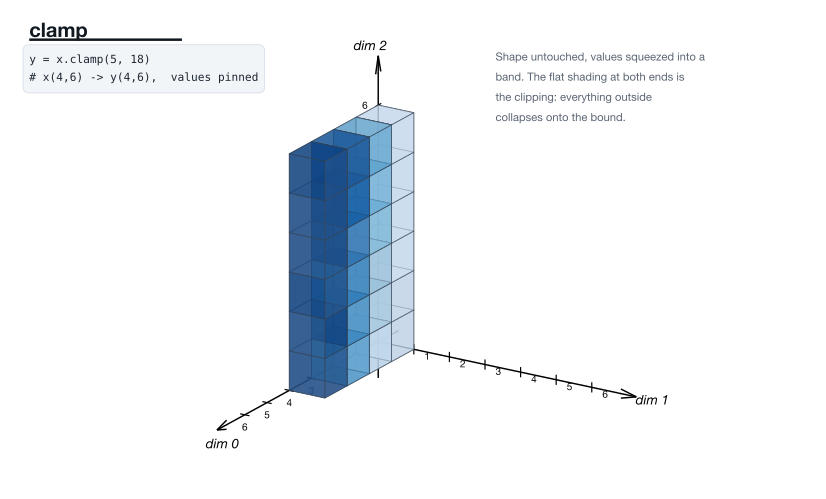
Values squeezed into a band. The flat shading at both ends is the clipping. · torch.clamp docs
50. F.normalize
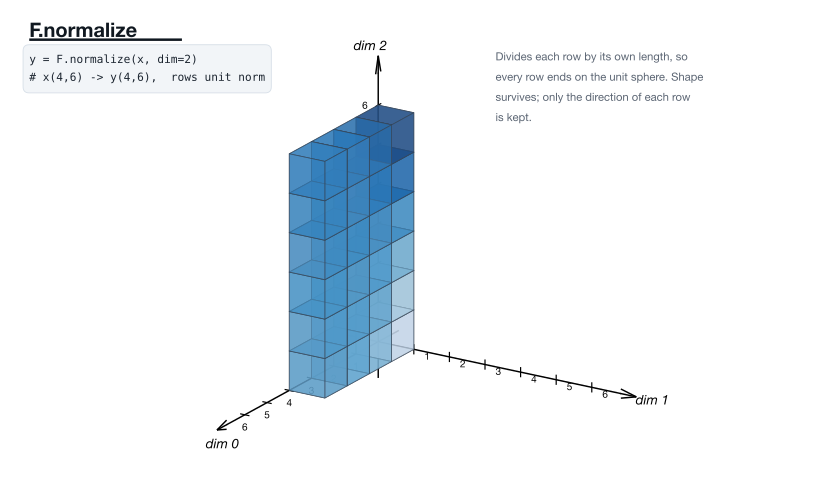
Every row divided by its own length, so each ends on the unit sphere. · F.normalize docs
On reading these
Two habits make the set more useful than any single figure.
Compare the pairs. cat and stack are drawn identically on purpose — the
only difference is the shape line. So are expand and repeat, squeeze and
unsqueeze, tril and triu. When two operations produce the same picture,
the distinction lives entirely in the shape or the memory, and that is exactly
the distinction people get wrong.
Watch for what does not move. contiguous draws an unchanged picture
because it changes only the byte layout. squeeze cannot change the picture,
because a size-1 axis occupies no space. In both cases the absence of a visible
change is the lesson.
The figures were generated with matplotlib’s mplot3d, which has no z-buffer —
every cube face on a page goes into a single Poly3DCollection so that
occlusion comes out right, and interior faces are culled so the files stay
small.
Leave a Reply